UI / UX Design
Campus Connection Made Easy
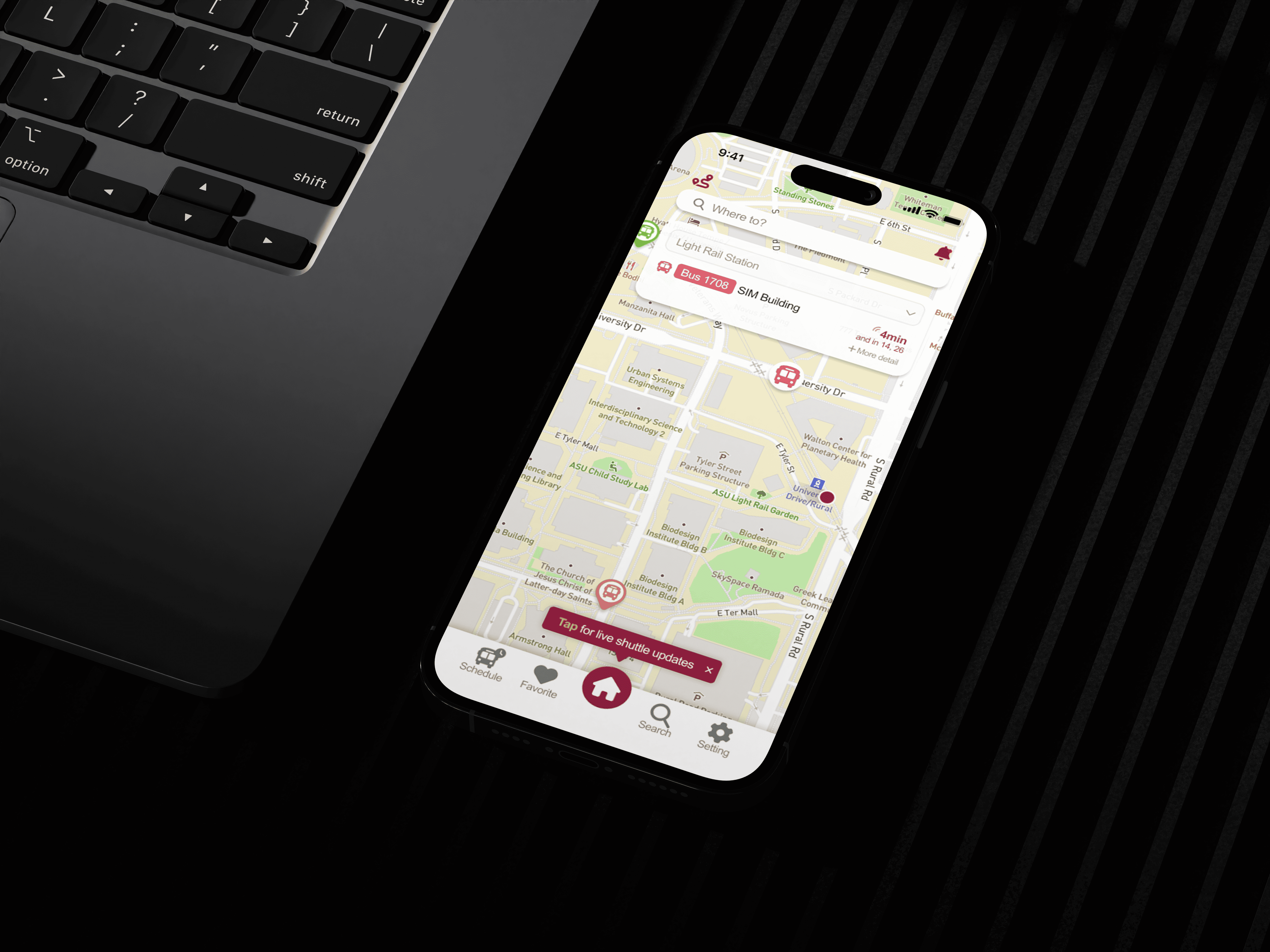
The ASU Shuttle App streamlines campus transit for time-sensitive users through intuitive UI and live updates.
Year :
2024
Industry :
Transportation / Mobility
Client :
Arizona State University
Project Duration :
15 weeks
My Impact :
In usability testing, 98% of participants felt the redesigned experience was an improvement over the existing shuttle service.
Reduced time spent searching for shuttle information by ~40% by centralizing real-time tracking, service updates, and arrival times into a single, easy-to-access app.
Problem :
A lack of clear and accessible shuttle information made daily commuting stressful, inefficient, and difficult to plan.
There was no dedicated app to easily access shuttle information
Information was scattered across different sources, making it hard to find what users needed
Real-time tracking existed, but lacked delay notices and service updates
The interface was clunky, slowing down quick access in time-sensitive situations

Solution :
The solution focused on reducing uncertainty and friction by centralizing real-time shuttle information and enabling faster, more personalized access to what users need most.
Real-time Tracking: Shows the shuttle’s live location to reduce uncertainty and help users decide when to move.
Estimated Arrival Times: Provides clear arrival estimates so users can better plan class transitions and avoid unnecessary waiting.
Favorite Stops: Allows users to save frequently used stops for quicker access during daily commutes.
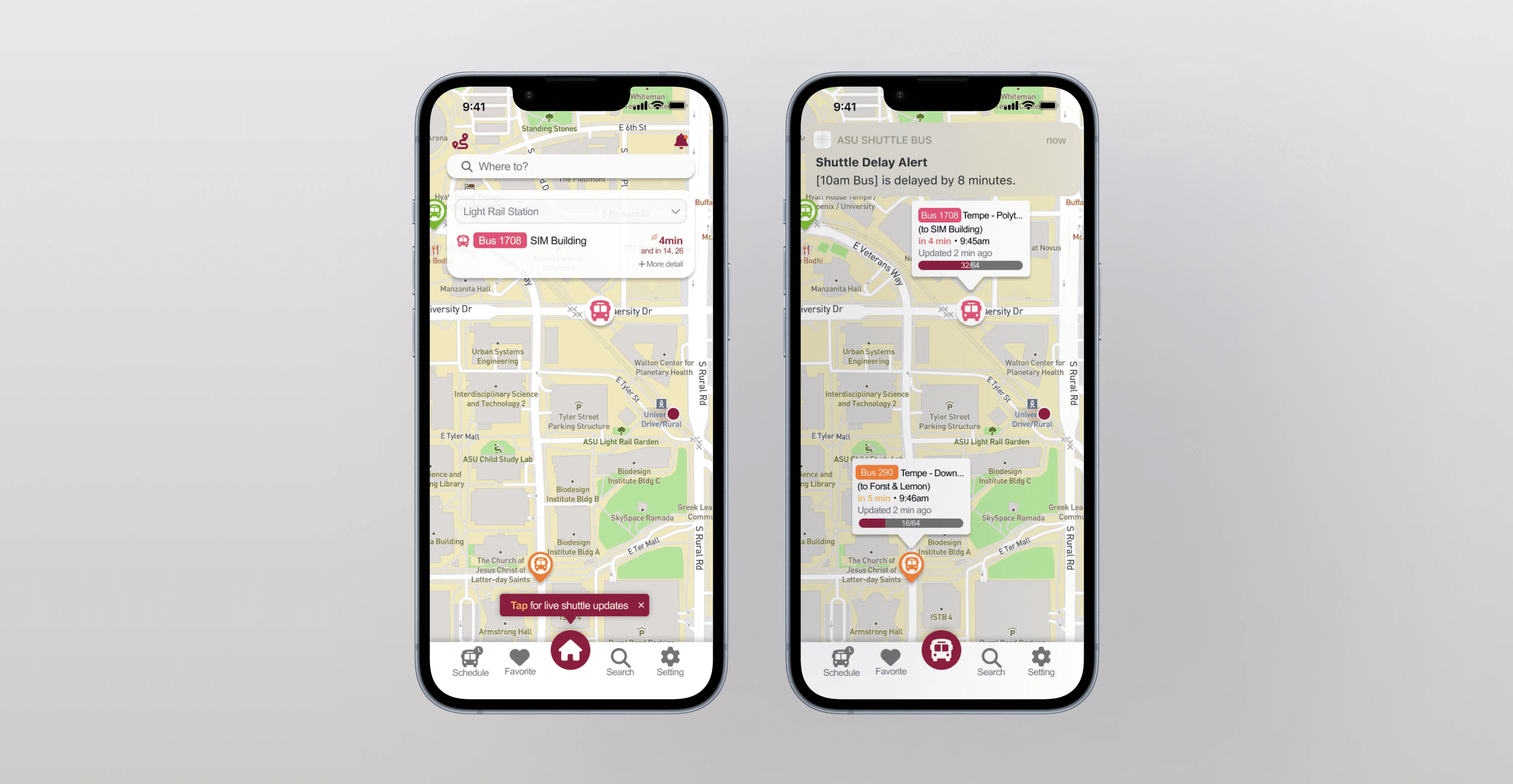
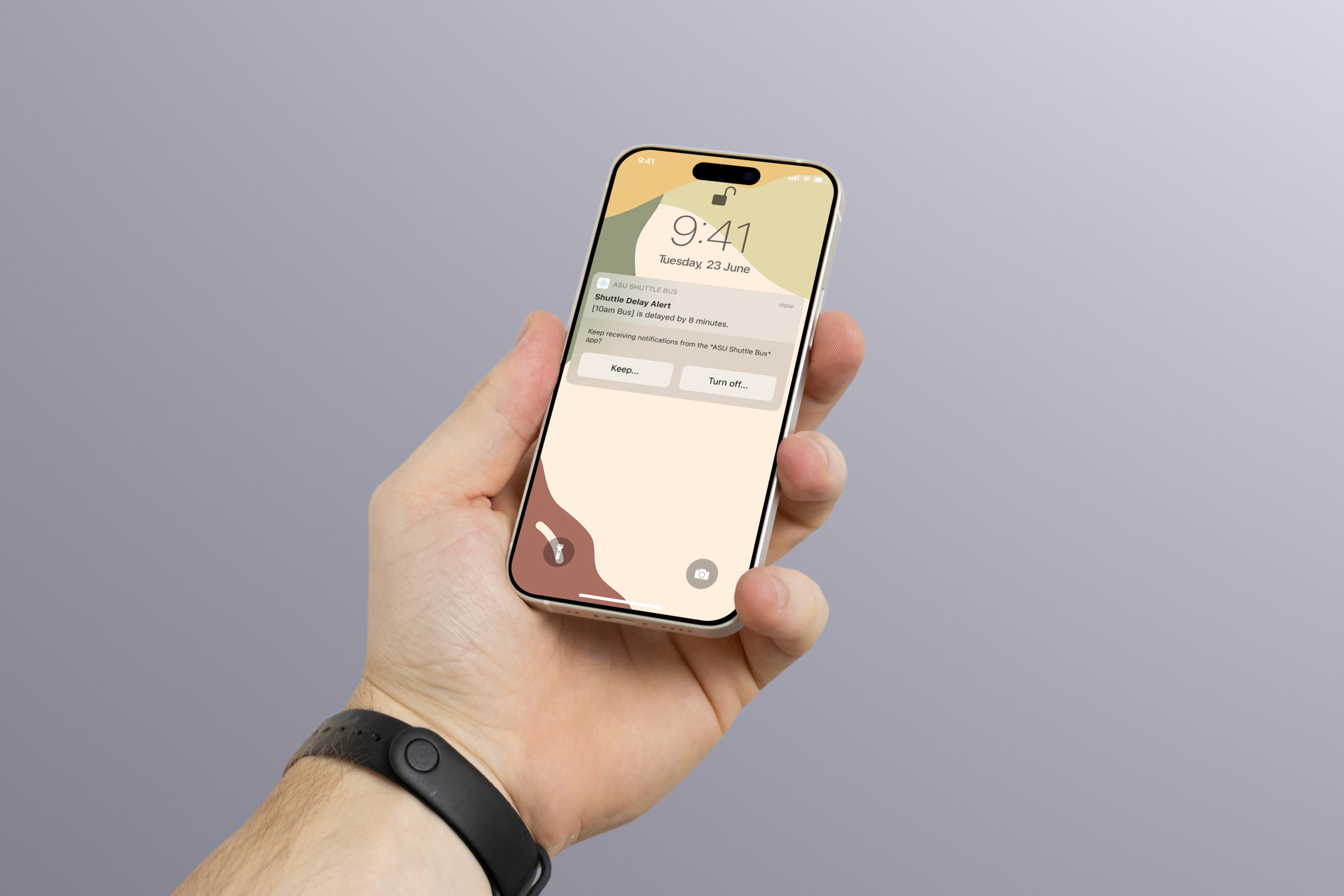
Personalized Alerts & Reminders: Notifies users about arrivals, delays, or service updates based on their saved routes and preferences.
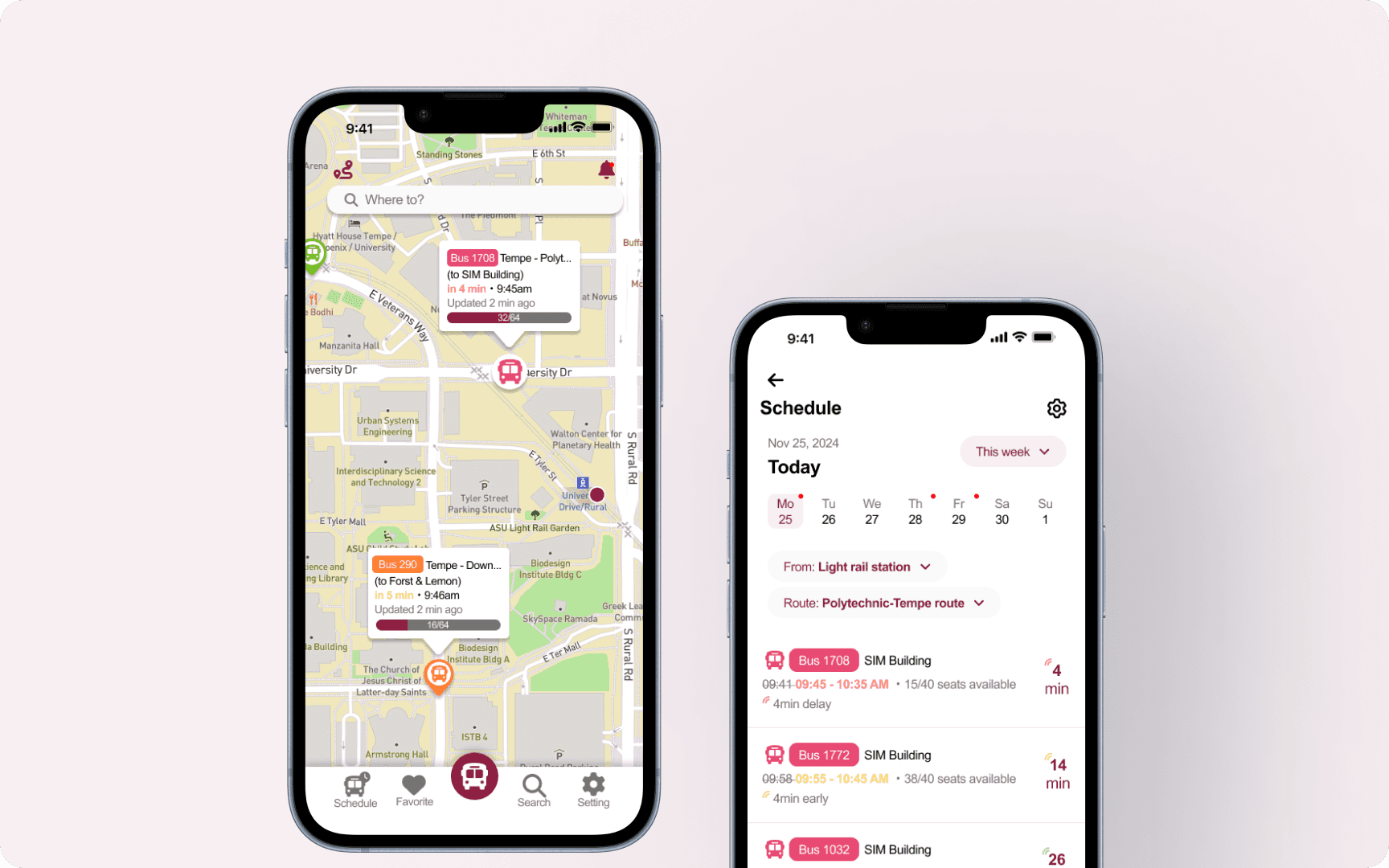
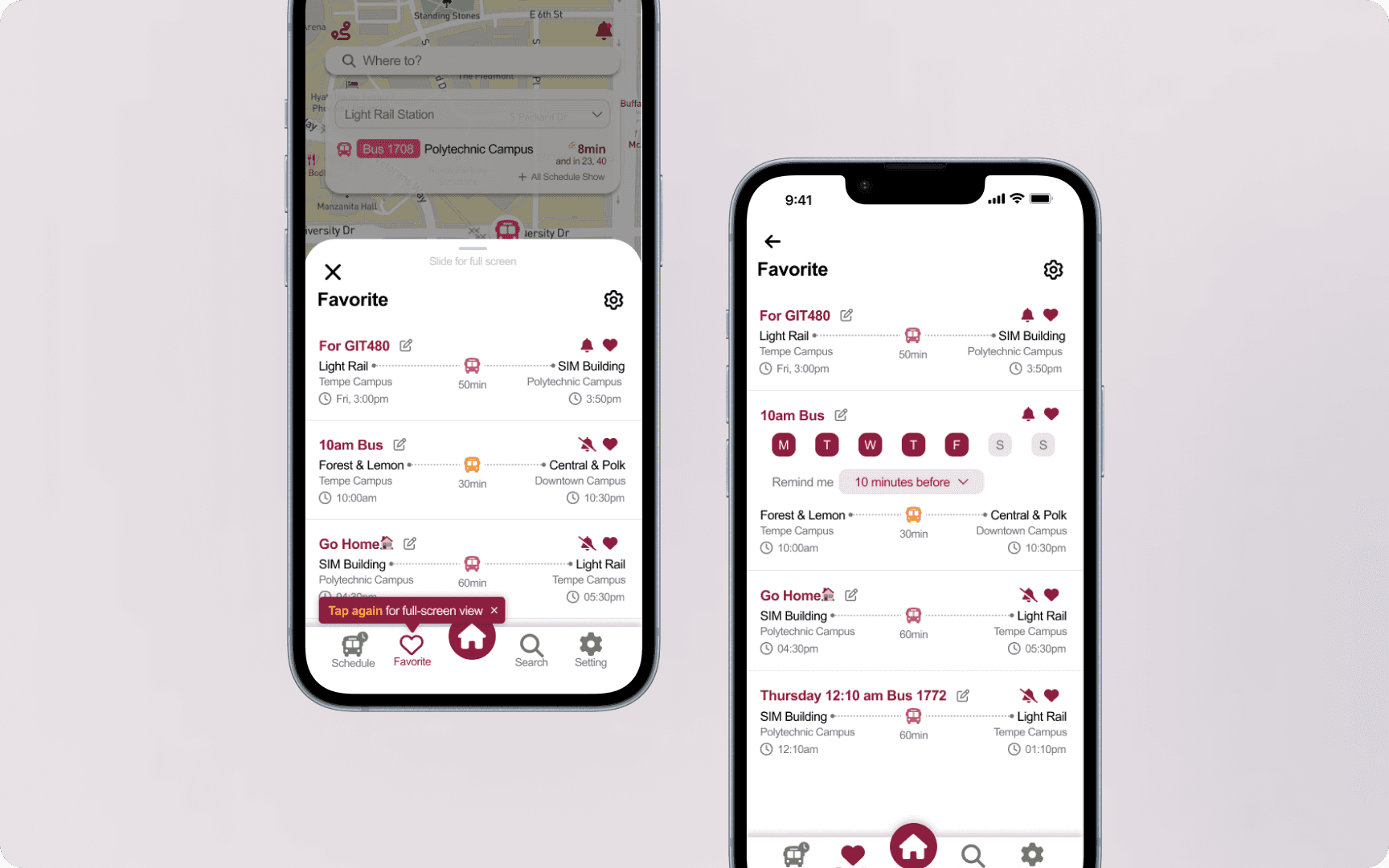
By addressing fragmented information and time-sensitive user needs, the redesigned experience centralizes real-time shuttle data, simplifies access to critical details, and supports users with personalized alerts for more confident daily commuting.
FEATURE RATIONALE
Real-Time & Home
Surfaces live shuttle location and arrival times first to support quick, time-sensitive decisions and reduce uncertainty.
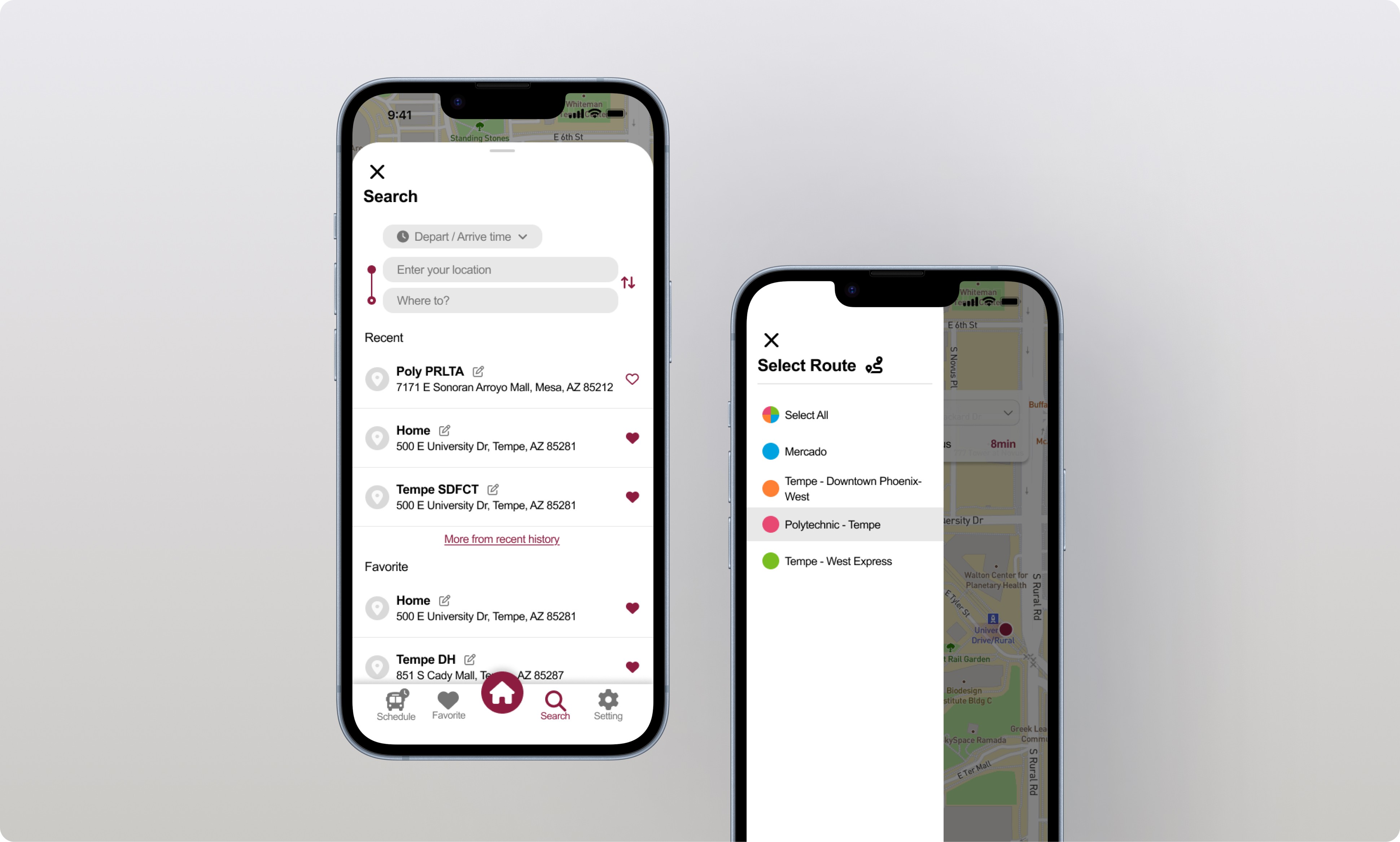
2. Search & Route Filter
Helps users quickly find relevant stops and routes when information is spread across a large campus.
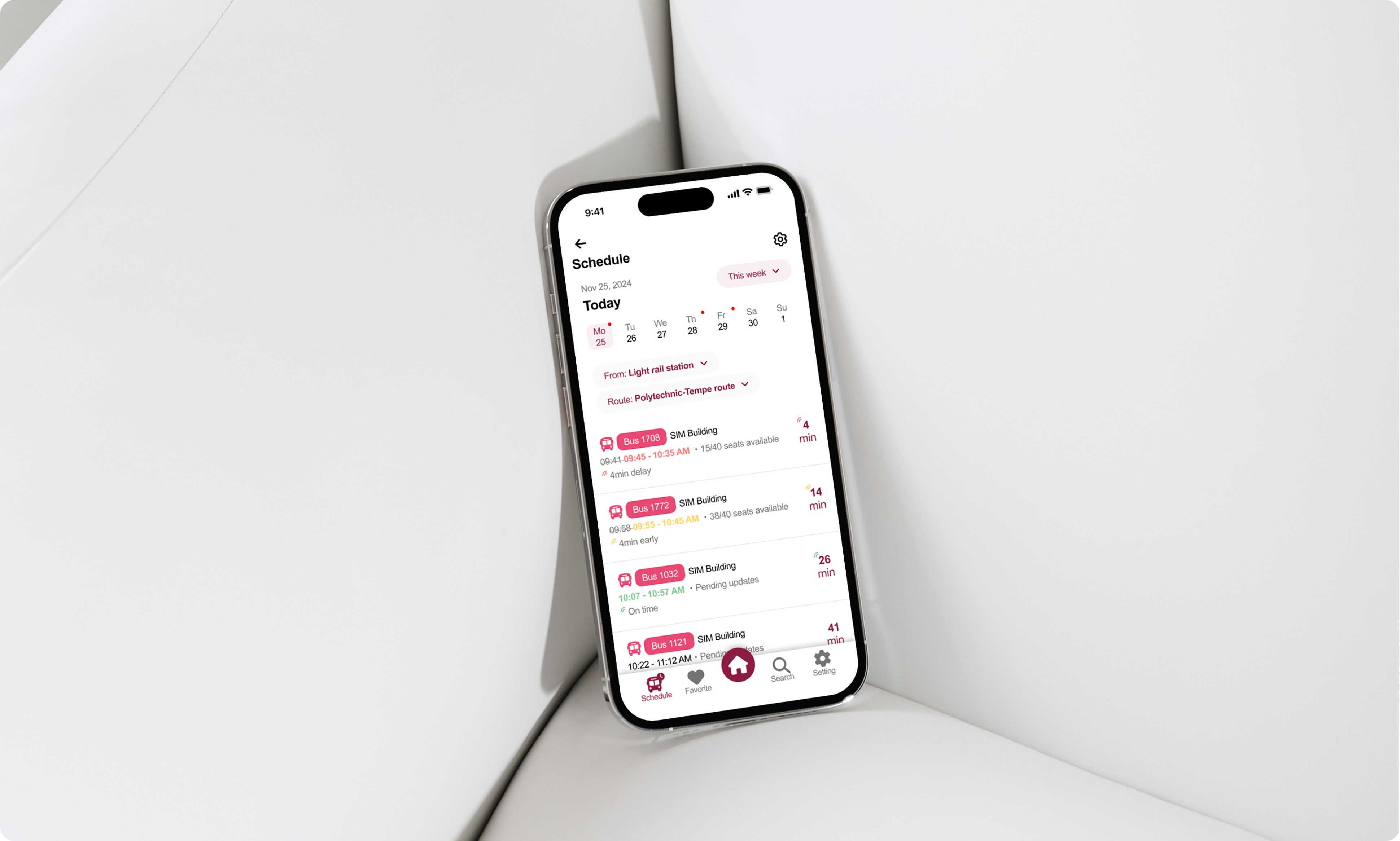
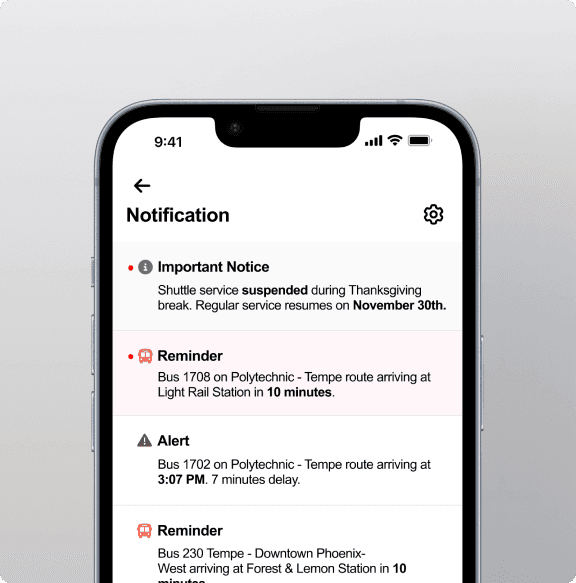
3. Schedule & Notifications
Supports planning and prevents missed shuttles by combining schedule browsing with timely alerts.
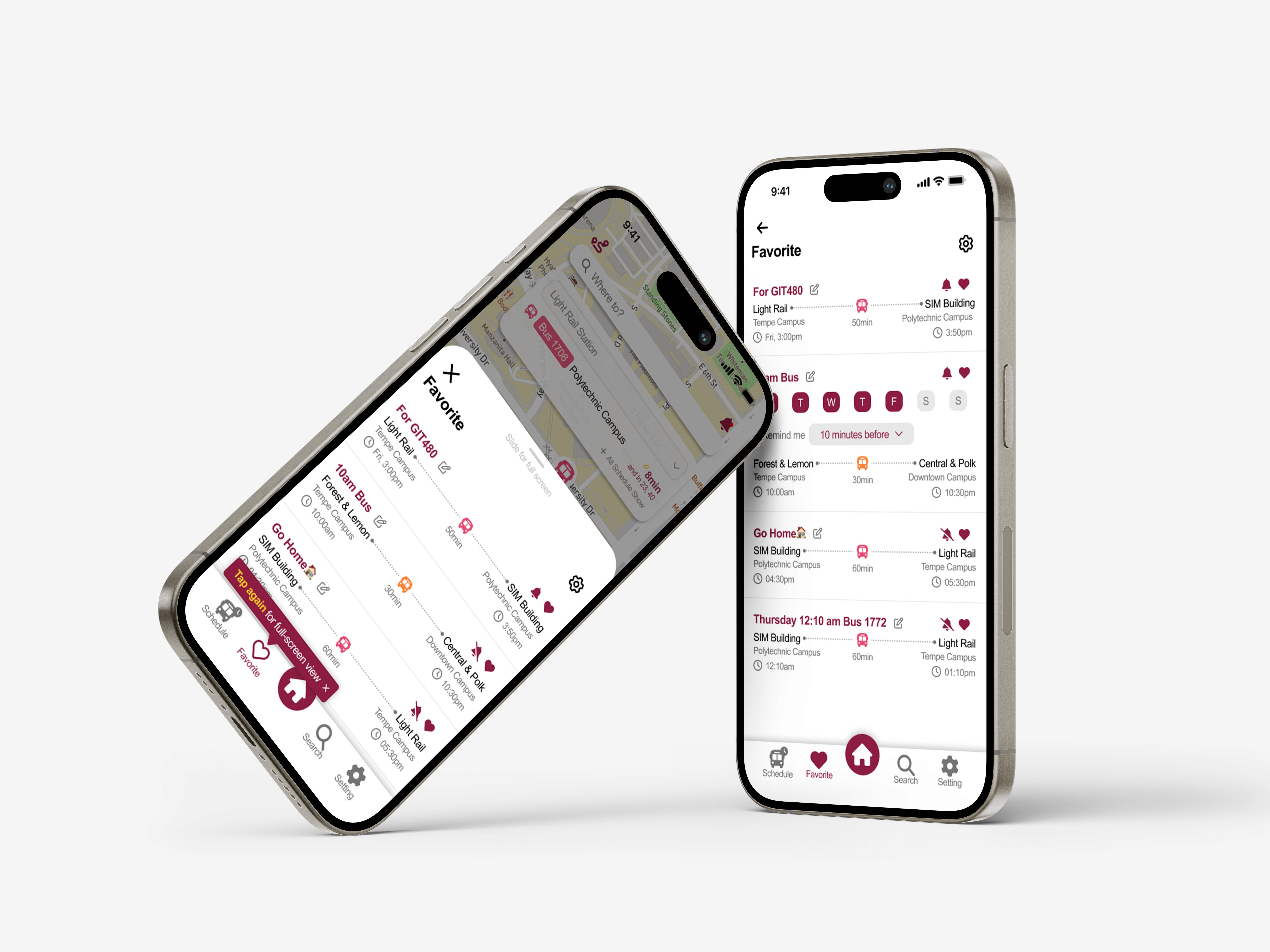
4. Favorites & Reminders
Reduces repeated searching by allowing users to save frequently used stops and receive personalized reminders.
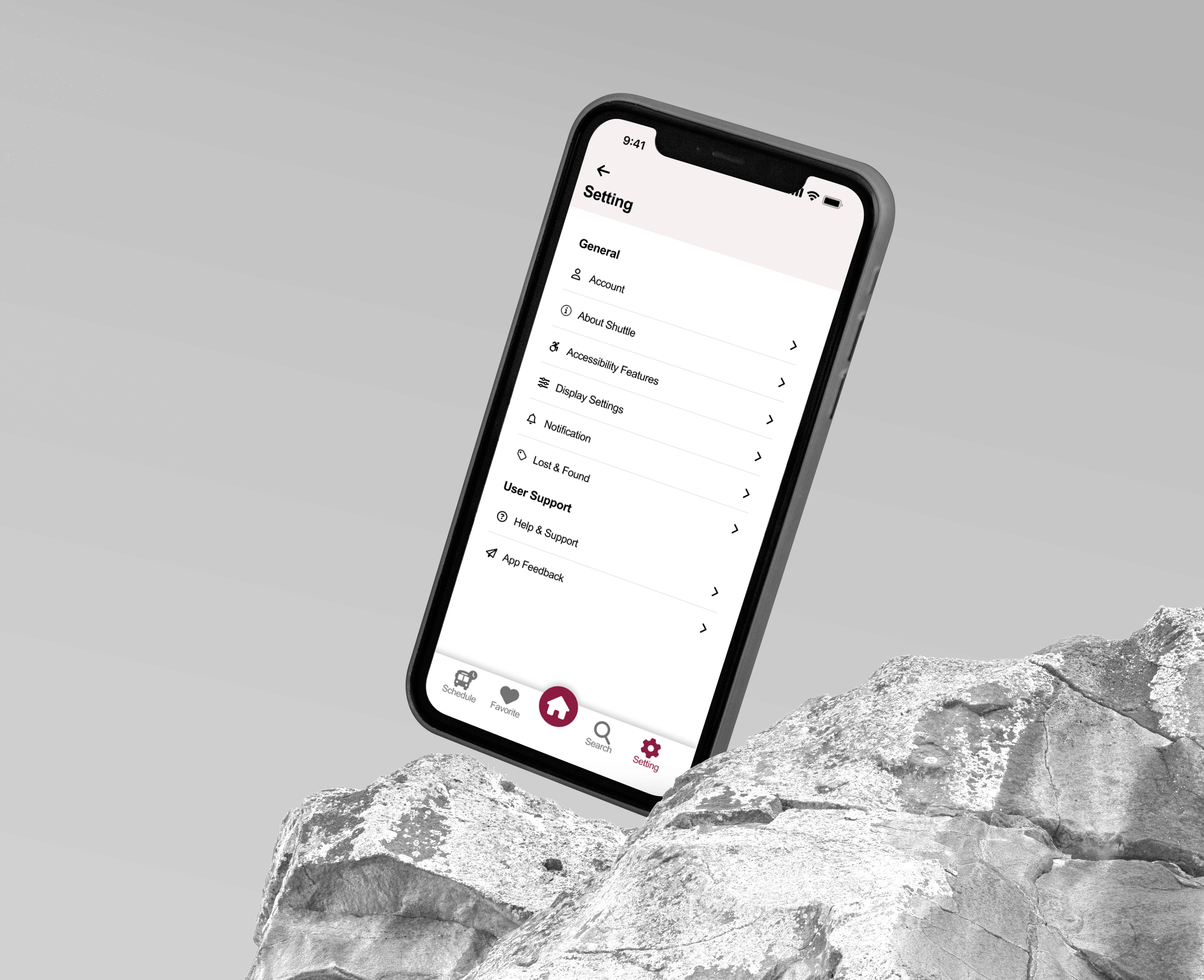
5. Settings
Gives users control over accessibility, notifications, and feedback to create a more personal and inclusive experience.
REFLECTION & LEARNINGS :
This project reinforced the importance of prioritizing real-time information in time-sensitive experiences. If revisited, I would further explore edge cases like service disruptions and accessibility needs.
More Projects
UI / UX Design
Campus Connection Made Easy
The ASU Shuttle App streamlines campus transit for time-sensitive users through intuitive UI and live updates.
Year :
2024
Industry :
Transportation / Mobility
Client :
Arizona State University
Project Duration :
15 weeks
My Impact :
In usability testing, 98% of participants felt the redesigned experience was an improvement over the existing shuttle service.
Reduced time spent searching for shuttle information by ~40% by centralizing real-time tracking, service updates, and arrival times into a single, easy-to-access app.
Problem :
A lack of clear and accessible shuttle information made daily commuting stressful, inefficient, and difficult to plan.
There was no dedicated app to easily access shuttle information
Information was scattered across different sources, making it hard to find what users needed
Real-time tracking existed, but lacked delay notices and service updates
The interface was clunky, slowing down quick access in time-sensitive situations
Solution :
The solution focused on reducing uncertainty and friction by centralizing real-time shuttle information and enabling faster, more personalized access to what users need most.
Real-time Tracking: Shows the shuttle’s live location to reduce uncertainty and help users decide when to move.
Estimated Arrival Times: Provides clear arrival estimates so users can better plan class transitions and avoid unnecessary waiting.
Favorite Stops: Allows users to save frequently used stops for quicker access during daily commutes.
Personalized Alerts & Reminders: Notifies users about arrivals, delays, or service updates based on their saved routes and preferences.
By addressing fragmented information and time-sensitive user needs, the redesigned experience centralizes real-time shuttle data, simplifies access to critical details, and supports users with personalized alerts for more confident daily commuting.
FEATURE RATIONALE
Real-Time & Home
Surfaces live shuttle location and arrival times first to support quick, time-sensitive decisions and reduce uncertainty.
2. Search & Route Filter
Helps users quickly find relevant stops and routes when information is spread across a large campus.
3. Schedule & Notifications
Supports planning and prevents missed shuttles by combining schedule browsing with timely alerts.
4. Favorites & Reminders
Reduces repeated searching by allowing users to save frequently used stops and receive personalized reminders.
5. Settings
Gives users control over accessibility, notifications, and feedback to create a more personal and inclusive experience.
REFLECTION & LEARNINGS :
This project reinforced the importance of prioritizing real-time information in time-sensitive experiences. If revisited, I would further explore edge cases like service disruptions and accessibility needs.
More Projects
UI / UX Design
Campus Connection Made Easy
The ASU Shuttle App streamlines campus transit for time-sensitive users through intuitive UI and live updates.
Year :
2024
Industry :
Transportation / Mobility
Client :
Arizona State University
Project Duration :
15 weeks
My Impact :
In usability testing, 98% of participants felt the redesigned experience was an improvement over the existing shuttle service.
Reduced time spent searching for shuttle information by ~40% by centralizing real-time tracking, service updates, and arrival times into a single, easy-to-access app.
Problem :
A lack of clear and accessible shuttle information made daily commuting stressful, inefficient, and difficult to plan.
There was no dedicated app to easily access shuttle information
Information was scattered across different sources, making it hard to find what users needed
Real-time tracking existed, but lacked delay notices and service updates
The interface was clunky, slowing down quick access in time-sensitive situations
Solution :
The solution focused on reducing uncertainty and friction by centralizing real-time shuttle information and enabling faster, more personalized access to what users need most.
Real-time Tracking: Shows the shuttle’s live location to reduce uncertainty and help users decide when to move.
Estimated Arrival Times: Provides clear arrival estimates so users can better plan class transitions and avoid unnecessary waiting.
Favorite Stops: Allows users to save frequently used stops for quicker access during daily commutes.
Personalized Alerts & Reminders: Notifies users about arrivals, delays, or service updates based on their saved routes and preferences.
By addressing fragmented information and time-sensitive user needs, the redesigned experience centralizes real-time shuttle data, simplifies access to critical details, and supports users with personalized alerts for more confident daily commuting.
FEATURE RATIONALE
Real-Time & Home
Surfaces live shuttle location and arrival times first to support quick, time-sensitive decisions and reduce uncertainty.
2. Search & Route Filter
Helps users quickly find relevant stops and routes when information is spread across a large campus.
3. Schedule & Notifications
Supports planning and prevents missed shuttles by combining schedule browsing with timely alerts.
4. Favorites & Reminders
Reduces repeated searching by allowing users to save frequently used stops and receive personalized reminders.
5. Settings
Gives users control over accessibility, notifications, and feedback to create a more personal and inclusive experience.
REFLECTION & LEARNINGS :
This project reinforced the importance of prioritizing real-time information in time-sensitive experiences. If revisited, I would further explore edge cases like service disruptions and accessibility needs.